What Happen to Images with Absolute Page Width Units
What Happen to Images with Absolute Page Width Units? - CSS Tutorials - Page Layout and Background Image Design
✍: FYIcenter.com
If you set your page width to absolute length units like inches, what will happen to image sizes? Usually, images have relative length units like pixels. If you include large images on your pages, visitors with different browser resolutions may see your images behave differently because of the relative length units on images.
The HTML and CSS code below gives you a good example:
<html><head>
<style type="text/css">
  BODY {background-color: gray}
  DIV.page {background-color: white; width: 6.0in;
    padding: 0.25in; text-align: left}
  HR {width: 6.0in}
  P {width: 6.0in}
</style>
</head><body><center><div class="page">
<p>
<img src=fyi_banner_blended.jpg width=728 width=90>
</p>
<H1>6 Inches Wide with an Image</H1>
<hr align=left>
<p><script language="JavaScript">
  for (i=0; i<100; i++) {
    for (j=0; j<10; j++) {
      document.write(j+' ');
    }
  }
</script></p>
<p align="right">By FYICenter.com</p>
</div></center></body></html>
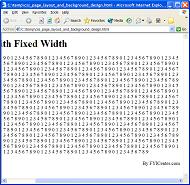
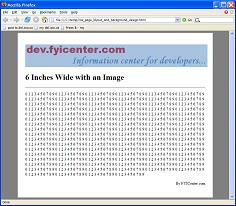
Save the code in 6InchPageLayout.html and view it with FireFox on a 1280x1024 screen,
you will see a nice looking page like this:
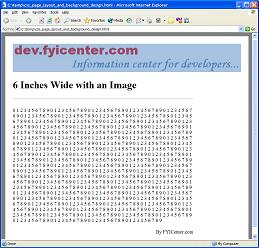
But if you view it with IE on a 1280x1024 screen,
you will see your page behaving incorrectly as:
2007-05-11, 6042👍, 0💬
Related Topics: