Is FORM a Block Element
Q
Is FORM a Block Element? - CSS Tutorials - HTML Formatting Model: Block, Inline and Floating Elements
✍: FYIcenter.com
A
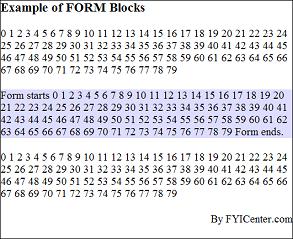
Is <FORM> a block element? The answer is yes. <FORM> is behaves like a <P>.
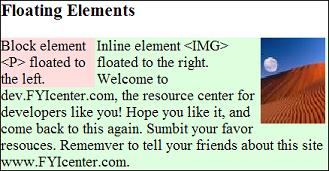
Below is a good example of a floating block element and a floating inline element:
<html><head>
<style type="text/css">
  DIV.page {width: 425px; border: 1px solid black}
  FORM {background-color: #ddddff}
</style>
</head><body><div class="page">
<H3>Box Formatting Model</H3>
<script language="JavaScript">
  for (j=0; j<80; j++) {
    document.write(j+' ');
  }
</script>
<form>Form starts
<script language="JavaScript">
  for (j=0; j<80; j++) {
    document.write(j+' ');
  }
</script>
Form ends. </form>
<script language="JavaScript">
  for (j=0; j<80; j++) {
    document.write(j+' ');
  }
</script>
<p align="right">By FYICenter.com</p>
<div></body></html>
Save this document as formBlock.html, and view it with a browser,
you will see something like this:
2007-05-11, 5491👍, 0💬
Related Topics: