<< < 112 113 114 115 116 117 118 119 120 121 122 > >>   Sort: Rank

How Many Tags Are Defined in XHTML 1.0
How Many Tags Are Defined in XHTML 1.0? - XHTML FAQs - Introduction To XHTML 1.0 There are 77 tags defined in XHTML 1.0: a abbr acronym address area b base bdo big blockquote body br button caption cite code col colgroup dd del dfn div dl dt em fieldset form h1 h2 h3 h4 h5 h6 head hr html i img inpu...
2007-05-12, 5120👍, 0💬

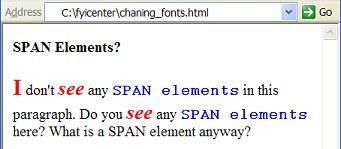
How To Change Text Fonts for Some Parts of a Paragraph
How To Change Text Fonts for Some Parts of a Paragraph? - XHTML 1.0 Tutorials - Understanding DIV and SPAN elements If you want to change text fonts or colors for some parts of a paragraph, you can use "span" element with "style" attributes to specify font and color information as CSS properties. He...
2007-05-12, 5295👍, 0💬

What Are the Main Differences between Atom 1.0 and RSS 2.0
What Are the Main Differences between Atom 1.0 and RSS 2.0? - RSS FAQs - Introduction to RSS (Really Simple Syndication) Basics Main differences between Atom 1.0 and RSS 2.0: Atom has separate "summary" and "content" elements, while RSS only has one "description" element. Atom standardizes auto-disc...
2007-05-12, 5797👍, 0💬

What is the Second Level Structure of an XHTML Document
What is the Second Level Structure of an XHTML Document? - XHTML 1.0 Tutorials - Document Structure and Head Level Tags The second level structure of an XHTML document consists of two parts: Head element - Contains information about the current document, such as its title, keywords that may be usefu...
2007-05-12, 4870👍, 0💬

What is the Top Level Structure of an XHTML Document
What is the Top Level Structure of an XHTML Document? - XHTML 1.0 Tutorials - Document Structure and Head Level Tags The top level structure of a XHTML document consists of three parts: XML processing instruction - Provides XML version information and character set declaration. Document type declara...
2007-05-12, 4965👍, 0💬

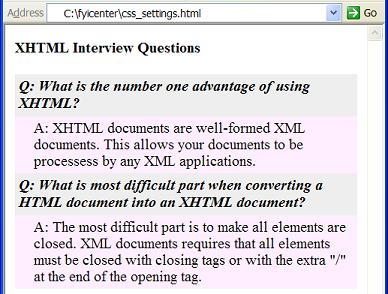
How To Use DIV Elements to Change CSS Properties
How To Use DIV Elements to Change CSS Properties? - XHTML 1.0 Tutorials - Understanding DIV and SPAN elements As elements containers, "div" elements are perfect places to set CSS properties which will be applied to all elements in the container. Here is a tutorial example of how to set CSS propertie...
2007-05-12, 5868👍, 0💬

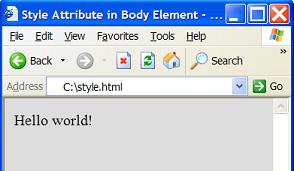
What Attributes Are Allowed in the Body Element
What Attributes Are Allowed in the Body Element? - XHTML 1.0 Tutorials - Body Tag and Block Level Tags XHTML 1.0 strict version does not allow some attributes that were commonly used in early versions of HTML specification. For example: "background" can be used to specify a background image, and "bg...
2007-05-12, 4970👍, 0💬

What Elements Are Allowed as Body Sub-Elements
What Elements Are Allowed as Body Sub-Elements? - XHTML 1.0 Tutorials - Body Tag and Block Level Tags The content model of the body element is sub-element only. Character data is not allowed as body element's content. You can only enter sub elements inside the body element. But not all elements can ...
2007-05-12, 5144👍, 0💬

How Many Document Types Defined in XHTML 1.0
How Many Document Types Defined in XHTML 1.0? - XHTML 1.0 Tutorials - Document Structure and Head Level Tags There are only 3 document types are defined in XHTML 1.0: 1. Strict type: Only allow non-deprecated and non-frameset XHTML elements in this type. Strict type should be declared as below: &...
2007-05-12, 4989👍, 0💬

What Happens If the TITLE Element is Missing
What Happens If the TITLE Element is Missing? - XHTML 1.0 Tutorials - Document Structure and Head Level Tags XHTML 1.0 requires you write the title element inside the head element. If you forget to include the title element, the XHTML validator will return an error to you. Here is how you can test t...
2007-05-12, 5224👍, 0💬

What Happens If a META Element Is Not Closed
What Happens If a META Element Is Not Closed? - XHTML 1.0 Tutorials - Document Structure and Head Level Tags Meta tags, link tags and base tags must be closed in XHTML documents. If you forget to close them like the HTML format, you will get validation errors. Try the following tutorial sample XHTML...
2007-05-12, 5409👍, 0💬

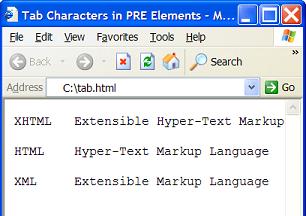
Are Tab Characters Preserved in a PRE Element
Are Tab Characters Preserved in a PRE Element? - XHTML 1.0 Tutorials - Body Tag and Block Level Tags Yes. Tab characters are preserved in pre elements like other white space characters. Below is a good tutorial example of using "pre" elements: &lt;?xml version="1.0" ?&gt; &lt;!DOCTYPE ht...
2007-05-12, 5143👍, 0💬

How Many Versions of RSS Language Standards
How Many Versions of RSS Language Standards? - RSS FAQs - Introduction to RSS (Really Simple Syndication) Basics RSS is relatively new. Many versions have been developed in recent years: RSS 0.90 - The earliest known version of RSS released to the public by Netscape in 1999. RSS 0.90 is based on RDF...
2007-05-12, 6120👍, 0💬

Can I Mix Images with Text in a Paragraph
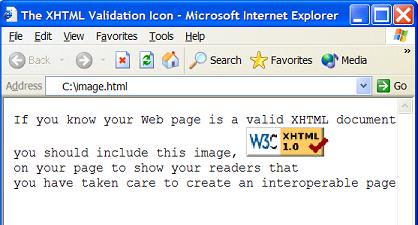
Can I Mix Images with Text in a Paragraph? - XHTML 1.0 Tutorials - Body Tag and Block Level Tags Yes. "img" elements are in-line elements. You can use "img" elements to mix images with text in any paragraph defined by a "p" element'. Below is a good tutorial example of image mixed with text: &lt...
2007-05-12, 5036👍, 0💬

How To Control Line Breaks in a Paragraph
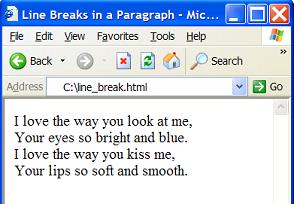
How To Control Line Breaks in a Paragraph? - XHTML 1.0 Tutorials - Body Tag and Block Level Tags By default line breaks within a paragraph are controlled by the browser. Lines will be wrapped at the right edge of the display area of the paragraph. If you want to force a line break in middle of a lin...
2007-05-12, 5095👍, 0💬

How To Get Extra Space between Paragraphs
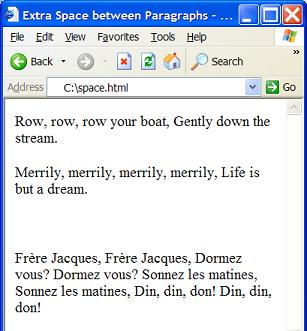
How To Get Extra Space between Paragraphs? - XHTML 1.0 Tutorials - Body Tag and Block Level Tags By default, browsers will give a predefined white space between two paragraphs. But if you want some extra white space between two paragraphs, you can enter an extra paragraph with a &amp;nbsp; entit...
2007-05-12, 5052👍, 0💬

How To Highlight One Part of a Paragraph
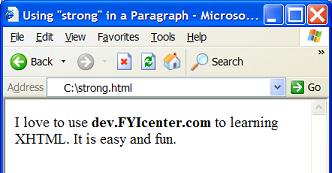
How To Highlight One Part of a Paragraph? - XHTML 1.0 Tutorials - Body Tag and Block Level Tags If you want to hightlight one part of a paragraph, you can use the "strong" element with the "p" element. Below is a good tutorial example of using "strong" elements: &lt;?xml version="1.0" ?&gt; ...
2007-05-12, 4930👍, 0💬

What Is the Description META Tag/Element
What Is the Description META Tag/Element? - XHTML 1.0 Tutorials - Document Structure and Head Level Tags The description meta element is a special meta element that provides a short descript about the XHTML document. The description meta element must include the "name" attribute as, name="descriptio...
2007-05-12, 4788👍, 0💬

What is a Smallest Valid XHTML Dodument
What is a Smallest Valid XHTML Dodument? - XHTML 1.0 Tutorials - Document Structure and Head Level Tags If you are interested to see the smallest, but valid, XHTML document, check this one: &lt;?xml version="1.0" ?&gt; &lt;!DOCTYPE html PUBLIC "-//W3C//DTD XHTML 1.0 Strict//EN" "http://w...
2007-05-12, 5012👍, 0💬

What Is the Relation between RSS and XML
What Is the Relation between RSS and XML? - RSS FAQs - Introduction to RSS (Really Simple Syndication) Basics XML (Extensible Markup Language) is a generic markup language to organize generic information into a structured document with embedded tags. RSS (Really Simple Syndication) is an extension o...
2007-05-12, 6164👍, 0💬

Can Images Be Included in PRE Elements
Can Images Be Included in PRE Elements? - XHTML 1.0 Tutorials - Body Tag and Block Level Tags Yes. In-line elements can be included pre elements. So images can be included in pre elements with img elements. Here is a good example of img elements in pre elements: &lt;?xml version="1.0" ?&gt; ...
2007-05-12, 4877👍, 0💬

What Is the Keywords META Tag/Element
What Is the Keywords META Tag/Element? - XHTML 1.0 Tutorials - Document Structure and Head Level Tags The keywords meta element is a special meta element that provides a list of keywords about the XHTML document. The keywords meta element must include the "name" attribute as, name="keywords". Here i...
2007-05-12, 4972👍, 0💬

What Is Wrong with This HEAD Element
What Is Wrong with This HEAD Element? - XHTML 1.0 Tutorials - Document Structure and Head Level Tags If you have trouble passing the XHTML 1.0 validation on your head element, check the following common mistakes: Missing the title element. Not closing the meta element as &lt;meta ... &gt;. Y...
2007-05-12, 4896👍, 0💬

How To Write a HEAD Element Properly
How To Write a HEAD Element Properly? - XHTML 1.0 Tutorials - Document Structure and Head Level Tags The head element can not be empty. It must contain the title element, defined by the "title" tag. The head element may contain a number of other miscellaneous elements, like base, script, style, meta...
2007-05-12, 4688👍, 0💬

<< < 112 113 114 115 116 117 118 119 120 121 122 > >>   Sort: Rank