<< < 111 112 113 114 115 116 117 118 119 120 121 > >>   Sort: Rank

How To Use "text" Input Fields
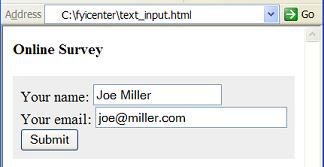
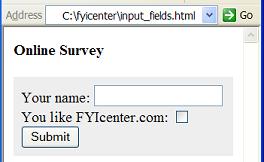
How To Use "text" Input Fields? - XHTML 1.0 Tutorials - Understanding Forms and Input Fields A "text" input field is defined as &lt;input type="text" .../&gt;. A "test" input field can be used to create input field to allow viewers to enter text strings or numbers. There are other attributes...
2007-05-12, 5164👍, 0💬

What Is an Anchor (A) Tag/Element
What Is an Anchor (A) Tag/Element? - XHTML 1.0 Tutorials - Understanding Hyper Links and URLs An "a" element is an inline element that you can use to specify a hyper link in your XHTML document. An "a" element can also be used to define a bookmark in your XHTML document. Here are basic rules about "...
2007-05-12, 5120👍, 0💬

What Is an INPUT Tag/Element
What Is an INPUT Tag/Element? - XHTML 1.0 Tutorials - Understanding Forms and Input Fields An "input" element is an inline element that can used inside a "form" element to define an input field. Here are basic rules about an "input" elements: An "input" element is an inline element. It can not be us...
2007-05-12, 5097👍, 0💬

What Is a SELECT Tag/Element
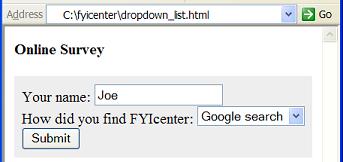
What Is a SELECT Tag/Element? - XHTML 1.0 Tutorials - Understanding Forms and Input Fields A "select" element is an inline element that you can use to define a dropdown input field in a form. Here are basic rules about a "select" element: "select" elements are inline elements. "select" elements can ...
2007-05-12, 5616👍, 0💬

What Is a LABEL Tag/Element
What Is a LABEL Tag/Element? - XHTML 1.0 Tutorials - Understanding Forms and Input Fields A "label" element is an inline element that you can use to define a label for a form input field. Here are basic rules about a "label" element: "label" elements are inline elements. "label" elements can only be...
2007-05-12, 12886👍, 0💬

What Is a FORM Tag/Element
What Is a FORM Tag/Element? - XHTML 1.0 Tutorials - Understanding Forms and Input Fields A "form" element is a block element that you can use to define an input form with input fields. Here are basic rules about a "form" element: "form" elements are block elements. A "form" element can have empty co...
2007-05-12, 5179👍, 0💬

What Is the Structure of a URL
What Is the Structure of a URL? - XHTML 1.0 Tutorials - Understanding Hyper Links and URLs The structure of a URL is defined by the URL specification, see http://www.ietf.org/rfc/rfc239 6.txt. Generally, a URL consists of 7 parts: Protocol Name - Identifies the communication protocol through which t...
2007-05-12, 5215👍, 0💬

What Is the Base Tag/Element
What Is the Base Tag/Element? - XHTML 1.0 Tutorials - Document Structure and Head Level Tags The "base" element is an optional sub-element of the "head" element. The "base" element specifies a base URL for all the hyper links in XHTML document. It has one required attribute called "href" to allow yo...
2007-05-12, 4847👍, 0💬

Can Two Forms Be Nested
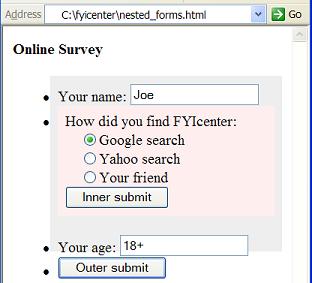
Can Two Forms Be Nested? - XHTML 1.0 Tutorials - Understanding Forms and Input Fields Can two forms be nested? The answer is no and yes: No. You can not nest two forms directly. XHTML schema does not allow that. Yes. You can nest two forms indirectly. See the tutorial example below. No. Two nested f...
2007-05-12, 17257👍, 0💬

What Is the Relation between XHTML and DTD
What Is the Relation between XHTML and DTD? - XHTML FAQs - Introduction To XHTML 1.0 DTD (Document Type Definition) is a language based on XML to you to define a specific type of XML documents. Since XHTML is a specific type of XML documents, you can use DTD to define the structure of XHTML. In fact...
2007-05-12, 5269👍, 0💬

Who Developed XHTML
Who Developed XHTML? - XHTML FAQs - Introduction To XHTML 1.0 XHTML was developed by W3C HTML Working Group with Steven Pemberton as the group chair.
2007-05-12, 4983👍, 0💬

What Is a Link Tag/Element
What Is a Link Tag/Element? - XHTML 1.0 Tutorials - Document Structure and Head Level Tags A "link" element is an optional sub-element of the "head" element. A "link" element is used to specify Cascading Style Sheet (CSS) file. Here is good example of a link element: &lt;?xml version="1.0" encod...
2007-05-12, 4987👍, 0💬

What Is a URL
What Is a URL? - XHTML 1.0 Tutorials - Understanding Hyper Links and URLs A URL (Uniform Resource Locator) is a reference name representing a location of a Web document or other resource that is available on the Internet. Here are some examples of URLs: "http://www.w3.org/" "http://dev.fyicenter.com...
2007-05-12, 5205👍, 0💬

How To Define a Bookmark
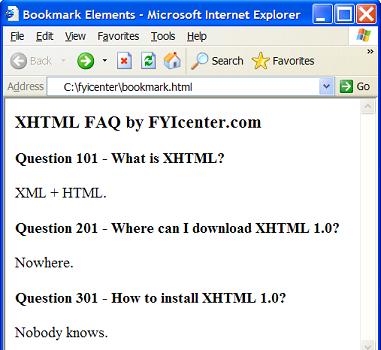
How To Define a Bookmark? - XHTML 1.0 Tutorials - Understanding Hyper Links and URLs A bookmark is a named reference point in a XHTML document. If a bookmark can be included in the URL that represents this document, the browser will automatically move the display window to the reference point as soo...
2007-05-12, 5938👍, 0💬

What Is a STRONG Tag/Element
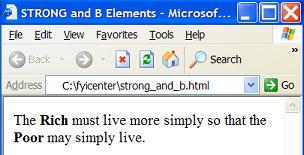
What Is a STRONG Tag/Element? - XHTML 1.0 Tutorials - Understanding In-line Elements and Tags A "strong" element is an inline element that you can use to specify text with a strong emphasis. Here are basic rules about "strong" elements: "strong" elements are inline elements. "strong" elements can no...
2007-05-12, 5487👍, 0💬

What Is a Relative Path Name
What Is a Relative Path Name? - XHTML 1.0 Tutorials - Understanding Hyper Links and URLs A relative path name is a path name that starts without the leading slash "/". If a relative path name is used in a URL, the relative path name will be replaced with the current document path name appended with ...
2007-05-12, 5244👍, 0💬

What Is a Script Tag/Element
What Is a Script Tag/Element? - XHTML 1.0 Tutorials - Document Structure and Head Level Tags A "script" element is an optional sub-element of the "head" and many other XHTML elements. If a "script" element is placed inside the "head" element, the specified script code will not be executed immediatel...
2007-05-12, 4958👍, 0💬

What Is a Style Tag/Element
What Is a Style Tag/Element? - XHTML 1.0 Tutorials - Document Structure and Head Level Tags A "style" element is an optional sub-element of the "head" element. A "link" element is used to specify Cascading Style Sheet (CSS) entries. Here is good example of a style element: &lt;?xml version="1.0"...
2007-05-12, 4981👍, 0💬

How To Define a Hyper Link
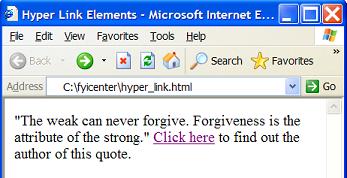
How To Define a Hyper Link? - XHTML 1.0 Tutorials - Understanding Hyper Links and URLs If you want to define a hyper link in your XHTML document, you need to use an "a" element with the "href" attribute. Here are basic rules about defining a hyper link with "a" element: An "a" element with the "href...
2007-05-12, 5592👍, 0💬

What Are Inline Elements
What Are Inline Elements? - XHTML 1.0 Tutorials - Understanding In-line Elements and Tags Inline elements are XHTML elements that can be used together with character data to form lines of paragraph blocks. Here are some basic rules about inline elements: Inline elements are usually used as sub-eleme...
2007-05-12, 5199👍, 0💬

What Are Hyper Links
What Are Hyper Links? - XHTML 1.0 Tutorials - Understanding Hyper Links and URLs A hyper link is a special text in an XHTML document defined with a hidden link to another resource on the Internet. While viewing the XHTML document, you can click the hyper link, the browser will follow the hidden link...
2007-05-12, 5656👍, 0💬

What Is a http-equiv META Tag/Element
What Is a http-equiv META Tag/Element? - XHTML 1.0 Tutorials - Document Structure and Head Level Tags a http-equiv meta element is a special meta element that provides information equivalent to HTTP headers. A http-equiv meta element must include the "http-equiv" attribute as, http-equiv="Content-Ty...
2007-05-12, 5039👍, 0💬

What Is the Author META Tag/Element
What Is the Author META Tag/Element? - XHTML 1.0 Tutorials - Document Structure and Head Level Tags The author meta element is a special meta element that provides information about the author of the XHTML document. The author meta element must include the "name" attribute as, name="author". Here is...
2007-05-12, 5138👍, 0💬

What Is the Latest XHTML Specification
What Is the Latest XHTML Specification? - XHTML FAQs - Introduction To XHTML 1.0 The latest XHTML specification is XHTML 1.0 second edition revised in August, 2002 by W3C. If you are professional XHTML developer, you should get a copy of this specification at http://www.w3.org/TR/xhtml1/ .
2007-05-12, 5424👍, 0💬

<< < 111 112 113 114 115 116 117 118 119 120 121 > >>   Sort: Rank