<< < 1 2 3 4 5 6 7 8 9 > >>   Sort: Date

What Is a URL
What Is a URL? - XHTML 1.0 Tutorials - Understanding Hyper Links and URLs A URL (Uniform Resource Locator) is a reference name representing a location of a Web document or other resource that is available on the Internet. Here are some examples of URLs: "http://www.w3.org/" "http://dev.fyicenter.com...
2007-05-12, 5138👍, 0💬

What Is the Structure of a URL
What Is the Structure of a URL? - XHTML 1.0 Tutorials - Understanding Hyper Links and URLs The structure of a URL is defined by the URL specification, see http://www.ietf.org/rfc/rfc239 6.txt. Generally, a URL consists of 7 parts: Protocol Name - Identifies the communication protocol through which t...
2007-05-12, 5130👍, 0💬

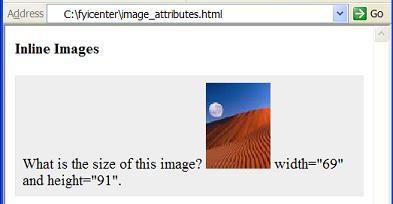
What Are the Attributes of an IMG Element
What Are the Attributes of an IMG Element? - XHTML 1.0 Tutorials - Understanding Inline Images and Image Maps There are 4 commonly used attributes for an "img" element: "src" - Required attribute. Used to specify the URL of the image file. "alt" - Required attribute. Used to specify the name of the ...
2007-05-12, 5126👍, 0💬

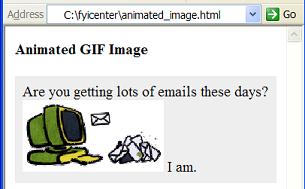
What Is an Animated Image
What Is an Animated Image? - XHTML 1.0 Tutorials - Understanding Inline Images and Image Maps An animated image is a special image file saved in animated GIF format. When an animated image is displayed in a browser window, multiple image frames will be displayed in sequence to form a simple animatio...
2007-05-12, 5120👍, 0💬

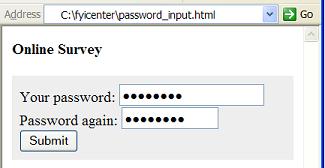
How To Use "password" Input Fields
How To Use "password" Input Fields? - XHTML 1.0 Tutorials - Understanding Forms and Input Fields A "password" input field is defined as &lt;input type="password" .../&gt;. A "password" input field can be used to create an input field to allow viewers to enter text strings or numbers without ...
2007-05-12, 5118👍, 0💬

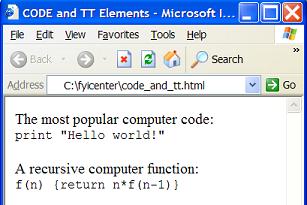
What Is an CODE Tag/Element
What Is an CODE Tag/Element? - XHTML 1.0 Tutorials - Understanding In-line Elements and Tags An "code" element is an inline element that you can use to specify text to be treated as computer code. Here are basic rules about "code" elements: "code" elements are inline elements. "code" elements can no...
2007-05-12, 5112👍, 0💬

What Is a FORM Tag/Element
What Is a FORM Tag/Element? - XHTML 1.0 Tutorials - Understanding Forms and Input Fields A "form" element is a block element that you can use to define an input form with input fields. Here are basic rules about a "form" element: "form" elements are block elements. A "form" element can have empty co...
2007-05-12, 5106👍, 0💬

What Are Heading Tags/Elements
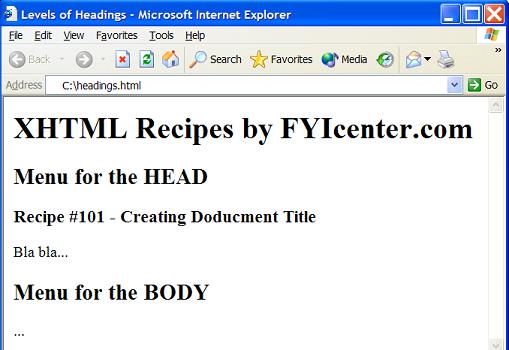
What Are Heading Tags/Elements? - XHTML 1.0 Tutorials - Body Tag and Block Level Tags Heading elements are block level elements that can be used directly as a sub-element in the body element. You can use heading elements to specify heading in different sizes. Here are basic rules about heading eleme...
2007-05-12, 5103👍, 0💬

Can BLOCKQUOTE Elements Be Nested
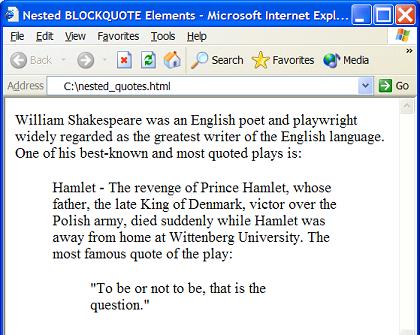
Can BLOCKQUOTE Elements Be Nested? - XHTML 1.0 Tutorials - Body Tag and Block Level Tags Yes. Blockquote elements can be directly nested. This allows you to include one quote inside another quote. Below is a good example of nested blockquote elements: &lt;?xml version="1.0" ?&gt; &lt;!DO...
2007-05-12, 5100👍, 0💬

What Is an XHTML Element
What Is an XHTML Element? - XHTML Tutorials - Introduction To Tag and Attribute Syntax An XHTML element is the basic building block of an XHTML document. An XHTML element has the following features: An XHTML element must have a name. An XHTML element may have zero or more attributes. An XHTML elemen...
2007-05-12, 5095👍, 0💬

How To Validate XHTML Documents Online
How To Validate XHTML Documents Online? - XHTML FAQs - Introduction To XHTML 1.0 If you have just finished a new XHTML document, and you want to make sure that confirms with the XHTML specification, you can use the XHTML online validator at http://validator.w3.org/ . There are 3 ways you can use thi...
2007-05-12, 5094👍, 0💬

How To Use "text" Input Fields
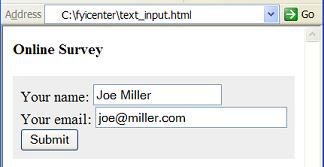
How To Use "text" Input Fields? - XHTML 1.0 Tutorials - Understanding Forms and Input Fields A "text" input field is defined as &lt;input type="text" .../&gt;. A "test" input field can be used to create input field to allow viewers to enter text strings or numbers. There are other attributes...
2007-05-12, 5088👍, 0💬

How To Use Different Markers on Ordered List Items
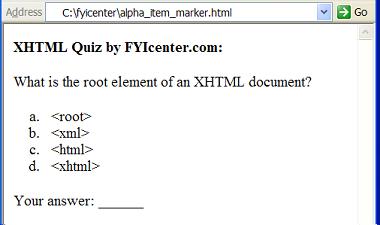
How To Use Different Markers on Ordered List Items? - XHTML 1.0 Tutorials - Understanding Lists and List Items By default, browsers will use decimal numbers as the item markers for ordered lists. If you want to change them to something else, like alphabetical letters, you need to use CSS properties....
2007-05-11, 5087👍, 0💬

What Is a TABLE Tag/Element
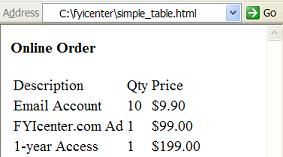
What Is a TABLE Tag/Element? - XHTML 1.0 Tutorials - Understanding Tables and Table Cells A "table" element is a block level element that you can use to present information in table of rows and columns. Here are basic rules about "table" elements: "table" elements are block elements. "table" element...
2007-05-11, 5086👍, 0💬

What Are the Values Submitted on Image Button Fields
What Are the Values Submitted on Image Button Fields? - XHTML 1.0 Tutorials - Understanding Forms and Input Fields An "image" button input field does not allow viewers to enter any input values directly. But if an "image" button is clicked, the mouse position on the image button will be submitted wi...
2007-05-12, 5084👍, 0💬

What Are Inline Elements
What Are Inline Elements? - XHTML 1.0 Tutorials - Understanding In-line Elements and Tags Inline elements are XHTML elements that can be used together with character data to form lines of paragraph blocks. Here are some basic rules about inline elements: Inline elements are usually used as sub-eleme...
2007-05-12, 5069👍, 0💬

What Is an Animated Image
What Is an Animated Image? - XHTML 1.0 Tutorials - Understanding Inline Images and Image Maps An animated image is a special image file saved in animated GIF format. When an animated image is displayed in a browser window, multiple image frames will be displayed in sequence to form a simple animatio...
2007-05-12, 5068👍, 0💬

What Happens If File Name is Missing in a URL
What Happens If File Name is Missing in a URL? - XHTML 1.0 Tutorials - Understanding Hyper Links and URLs If the file name part is missing in a URL, the one of the following two rules will be used. 1. If a URL has no file name, but a path name is given, the browser will let the hosting computer to s...
2007-05-12, 5065👍, 0💬

How Many Tags Are Defined in XHTML 1.0
How Many Tags Are Defined in XHTML 1.0? - XHTML FAQs - Introduction To XHTML 1.0 There are 77 tags defined in XHTML 1.0: a abbr acronym address area b base bdo big blockquote body br button caption cite code col colgroup dd del dfn div dl dt em fieldset form h1 h2 h3 h4 h5 h6 head hr html i img inpu...
2007-05-12, 5062👍, 0💬

What Is the Relation between XHTML and SGML
What Is the Relation between XHTML and SGML? - XHTML FAQs - Introduction To XHTML 1.0 SGML (Standard Generalized Markup Language) is a metalanguage in which one can define markup languages, like HTML, for documents. SGML is a descendant of IBM's Generalized Markup Language (GML), developed in the 19...
2007-05-12, 5054👍, 0💬

Are Tab Characters Preserved in a PRE Element
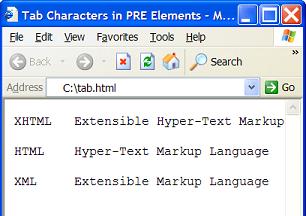
Are Tab Characters Preserved in a PRE Element? - XHTML 1.0 Tutorials - Body Tag and Block Level Tags Yes. Tab characters are preserved in pre elements like other white space characters. Below is a good tutorial example of using "pre" elements: &lt;?xml version="1.0" ?&gt; &lt;!DOCTYPE ht...
2007-05-12, 5051👍, 0💬

What Is a BR Tag/Element
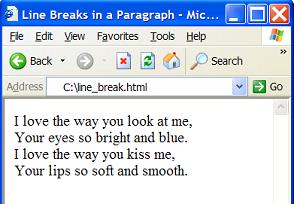
What Is a BR Tag/Element? - XHTML 1.0 Tutorials - Understanding In-line Elements and Tags A "br" element is an inline element that you can use to specify a line break in the paragraph. Here are basic rules about "br" elements: "br" elements are inline elements. "br" elements can not be used at block...
2007-05-12, 5048👍, 0💬

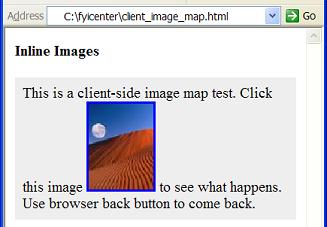
What Is a Client-Side Image Map
What Is a Client-Side Image Map? - XHTML 1.0 Tutorials - Understanding Inline Images and Image Maps A client-side image map is an image defined with the "ismap" attribute and the "usemap" attribute. When a client-side image map is clicked in a browser window, the browser will take mouse coordinates ...
2007-05-12, 5046👍, 0💬

What Is the Body Tag/Element
What Is the Body Tag/Element? - XHTML 1.0 Tutorials - Body Tag and Block Level Tags The body element is used to provide content of the XHTML document. Here are some rules about the body tag/element: The body element is a second level element. The body element must be the second child element of the ...
2007-05-12, 5046👍, 0💬

<< < 1 2 3 4 5 6 7 8 9 > >>   Sort: Date