Categories:
.NET (357)
C (330)
C++ (183)
CSS (84)
DBA (2)
General (7)
HTML (4)
Java (574)
JavaScript (106)
JSP (66)
Oracle (114)
Perl (46)
Perl (1)
PHP (1)
PL/SQL (1)
RSS (51)
Software QA (13)
SQL Server (1)
Windows (1)
XHTML (173)
Other Resources:
How do we access attributes using “XmlReader”
How do we access attributes using “XmlReader”?
✍: Guest
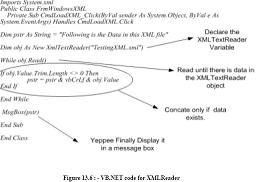
Below snippets shows the way to access attributes. First in order to check whether there any attributes present in the current node you can use “HasAttributes” function and use the “MoveToNextAttribute” method to move forward in attribute. In case you want to move to the next element use “MoveToElement()”.
if (reader.HasAttributes)
{
while(reader.MoveToNextAttribute())
{
// your logic goes here
string pdata = reader.Value
}
}
reader.MoveToElement();
2007-10-31, 8058👍, 0💬
Popular Posts:
What is cross page posting? By default, button controls in ASP.NET pages post back to the same page ...
What is the difference between mysql_fetch_object() and mysql_fetch_array() functions in PHP? mysql_...
How To Manage Transaction Isolation Level? - Oracle DBA FAQ - Introduction to PL/SQL Transaction iso...
How To Build WHERE Criteria with Web Form Search Fields? - MySQL FAQs - Managing Tables and Running ...
How To Test Transaction Isolation Levels? - MySQL FAQs - Transaction Management: Commit or Rollback ...