<< < 1 2 3 4 5 6 7 8 9 > >>   Sort: Date

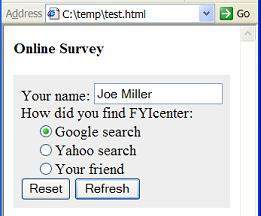
How To Use "reset" Input/Action Fields
How To Use "reset" Input/Action Fields? - XHTML 1.0 Tutorials - Understanding Forms and Input Fields A "reset" input field is defined as &lt;input type="reset" .../&gt;. "reset" input fields can be used to create reset buttons in a form. When a reset button is clicked, the form will be refre...
2007-05-12, 5351👍, 0💬

What Are SUB and SUP Tags/Elements
What Are SUB and SUP Tags/Elements? - XHTML 1.0 Tutorials - Understanding In-line Elements and Tags "sub" and "sup" elements are inline elements that you can use to specify text to be treated as subscript and superscript respectively. Here are basic rules about "sub" and "sup" elements: "sub" and "s...
2007-05-12, 5347👍, 0💬

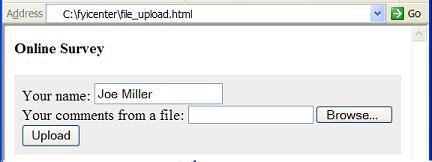
How To Use "file" Input Fields
How To Use "file" Input Fields? - XHTML 1.0 Tutorials - Understanding Forms and Input Fields A "file" input field is defined as &lt;input type="file" .../&gt;. "file" input fields can be used to create file upload input fields. Most browsers will display a file upload input field as a text i...
2007-05-12, 5345👍, 0💬

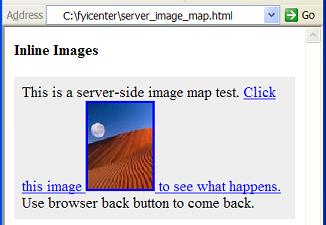
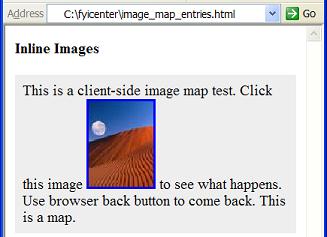
What Is a Server-Side Image Map
What Is a Server-Side Image Map? - XHTML 1.0 Tutorials - Understanding Inline Images and Image Maps A server-side image map is an image inside a hyper link. The image must be defined with the "ismap" attribute in the "img" element. When a server-side image map is clicked in a browser window, the mou...
2007-05-12, 5333👍, 0💬

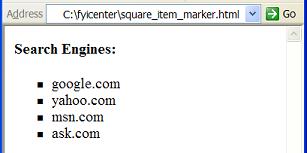
How To Use Different Markers on Unordered List Items
How To Use Different Markers on Unordered List Items? - XHTML 1.0 Tutorials - Understanding Lists and List Items By default, browsers will use solid dots as the item markers for unordered lists. If you want to change them to something else, like tiny squares, you need to use CSS properties. Here is ...
2007-05-11, 5326👍, 0💬

How To Get an Extra White Space
How To Get an Extra White Space? - XHTML Tutorials - Introduction To Element Content Syntax As you know that white space characters will be ignored in elements like "p". So how to get some extra white space to show up in your text paragraphs? On easy solution is to use XHTML entity: "&amp;nbsp;"...
2007-05-12, 5321👍, 0💬

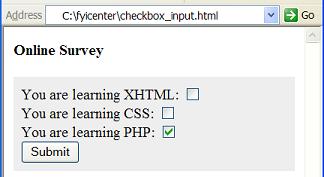
How To Use "checkbox" Input Fields
How To Use "checkbox" Input Fields? - XHTML 1.0 Tutorials - Understanding Forms and Input Fields A "checkbox" input field is defined as &lt;input type="checkbox" .../&gt;. A "checkbox" input field can be used to create a checkbox to allow viewers to switch on or off a boolean flag. There are...
2007-05-12, 5321👍, 0💬

What Is an EM Tag/Element
What Is an EM Tag/Element? - XHTML 1.0 Tutorials - Understanding In-line Elements and Tags An "em" element is an inline element that you can use to specify text with a normal emphasis. Here are basic rules about "em" elements: "em" elements are inline elements. "em" elements can not be used at block...
2007-05-12, 5310👍, 0💬

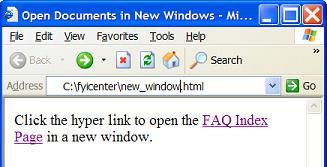
How To Create A Link to Open a Document in a New Window
How To Create A Link to Open a Document in a New Window? - XHTML 1.0 Tutorials - Understanding Hyper Links and URLs Normally, if a hyper link is linked to a XHTML document, the browser will display the linked document in the same window as the current document. But if you want to the browser to disp...
2007-05-12, 5309👍, 0💬

What Is PCDATA
What Is PCDATA? - XHTML Tutorials - Introduction To Element Content Syntax PCDATA stands for Parsed Character DATA. Here are some basic rules about PCDATA: PCDATA is a string of characters and XHTML entities. XHTML entities are escape sequences used to refer to special characters that are not so eas...
2007-05-12, 5303👍, 0💬

Can DIV Elements Be Floated
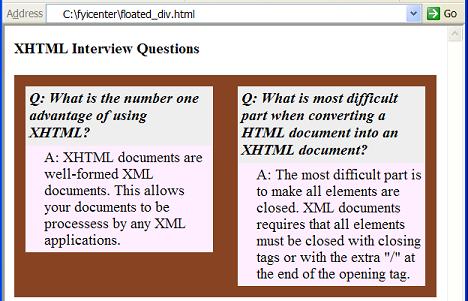
Can DIV Elements Be Floated? - XHTML 1.0 Tutorials - Understanding DIV and SPAN elements Can "div" elements be floated? The answer is yes. If you want to float a "div" block, you can use the "float" CSS property. Here is a tutorial example of floated "div" elements: &lt;?xml version="1.0" ?&...
2007-05-12, 5303👍, 0💬

What Is a MAP Tag/Element
What Is a MAP Tag/Element? - XHTML 1.0 Tutorials - Understanding Inline Images and Image Maps A "map" element is special inline element that you to define map entries to be used by image maps. Here are some basic rules on "map" elements: "map" elements are inline elements. "map" elements can not hav...
2007-05-12, 5299👍, 0💬

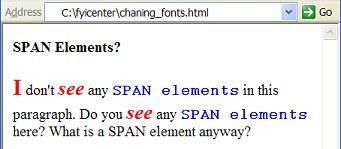
How To Change Text Fonts for Some Parts of a Paragraph
How To Change Text Fonts for Some Parts of a Paragraph? - XHTML 1.0 Tutorials - Understanding DIV and SPAN elements If you want to change text fonts or colors for some parts of a paragraph, you can use "span" element with "style" attributes to specify font and color information as CSS properties. He...
2007-05-12, 5295👍, 0💬

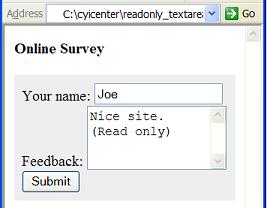
What Are the Attributes of a TEXTAREA Element
What Are the Attributes of a TEXTAREA Element? - XHTML 1.0 Tutorials - Understanding Forms and Input Fields There are several commonly used attributes for a "textarea" element: rows="n" - Required attribute. Used to specify the number of rows of the text input area. cols="n" - Required attribute. Us...
2007-05-12, 5272👍, 0💬

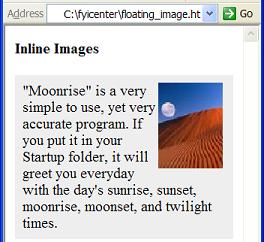
How To Float an Image to the Right Side
How To Float an Image to the Right Side? - XHTML 1.0 Tutorials - Understanding Inline Images and Image Maps If you want to float an image to the right side of the paragraph instead of inline within a text line, you have to use the CSS property "float" to do this. The "float" property takes two value...
2007-05-12, 5257👍, 0💬

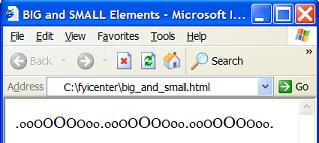
What Are BIG and SMALL Tags/Elements
What Are BIG and SMALL Tags/Elements? - XHTML 1.0 Tutorials - Understanding In-line Elements and Tags "big" and "small" elements are inline elements that you can use to specify text to be displayed in bigger and smaller font sizes respectively. Here are basic rules about "big" and "small" elements: ...
2007-05-12, 5257👍, 0💬

What Is the Relation between XHTML and DTD
What Is the Relation between XHTML and DTD? - XHTML FAQs - Introduction To XHTML 1.0 DTD (Document Type Definition) is a language based on XML to you to define a specific type of XML documents. Since XHTML is a specific type of XML documents, you can use DTD to define the structure of XHTML. In fact...
2007-05-12, 5252👍, 0💬

What Are DEL and INS Tags/Elements
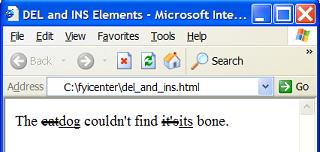
What Are DEL and INS Tags/Elements? - XHTML 1.0 Tutorials - Understanding In-line Elements and Tags "del" and "ins" elements are inline elements that you can use to specify text to be treated as deleted text and inserted text respectively. Here are basic rules about "del" and "ins" elements: "del" a...
2007-05-12, 5248👍, 0💬

What Is the Sequence of Sub-elements
What Is the Sequence of Sub-elements? - XHTML Tutorials - Introduction To Element Content Syntax The sequence of sub-elements is the order of how each sub-element is placed inside the parent element. For most parent elements, their sub-elements can be placed in any order. But some parent elements re...
2007-05-12, 5248👍, 0💬

What Are HR Tags/Elements
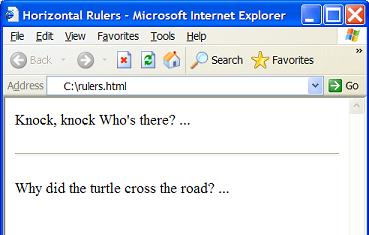
What Are HR Tags/Elements? - XHTML 1.0 Tutorials - Body Tag and Block Level Tags A "hr" element is a block level element that can be used directly as a sub-element in the body element. You can use "hr" elements to specify horizontal rulers. Here are basic rules about "hr" elements: "hr" elements can...
2007-05-12, 5240👍, 0💬

Can BLOCKQUOTE Elements Be Nested
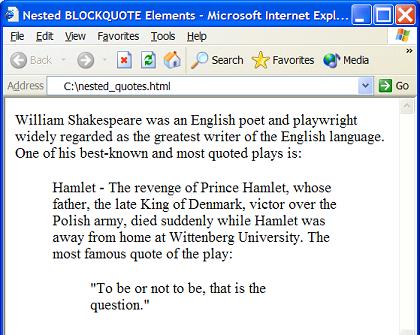
Can BLOCKQUOTE Elements Be Nested? - XHTML 1.0 Tutorials - Body Tag and Block Level Tags Yes. Blockquote elements can be directly nested. This allows you to include one quote inside another quote. Below is a good example of nested blockquote elements: &lt;?xml version="1.0" ?&gt; &lt;!DO...
2007-05-12, 5230👍, 0💬

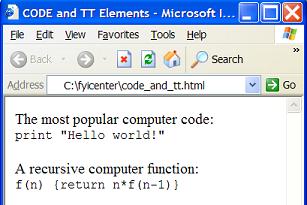
What Is an CODE Tag/Element
What Is an CODE Tag/Element? - XHTML 1.0 Tutorials - Understanding In-line Elements and Tags An "code" element is an inline element that you can use to specify text to be treated as computer code. Here are basic rules about "code" elements: "code" elements are inline elements. "code" elements can no...
2007-05-12, 5225👍, 0💬

What Is a Relative Path Name
What Is a Relative Path Name? - XHTML 1.0 Tutorials - Understanding Hyper Links and URLs A relative path name is a path name that starts without the leading slash "/". If a relative path name is used in a URL, the relative path name will be replaced with the current document path name appended with ...
2007-05-12, 5224👍, 0💬

What Happens If Protocol or Port Number Is Missing in a URL
What Happens If Protocol or Port Number Is Missing in a URL? - XHTML 1.0 Tutorials - Understanding Hyper Links and URLs From a syntax point of view, all URL parts are optional. If some parts are not included in a URL, the browser and the hosting computer will provide default values. Here are some ru...
2007-05-12, 5223👍, 0💬

<< < 1 2 3 4 5 6 7 8 9 > >>   Sort: Date